






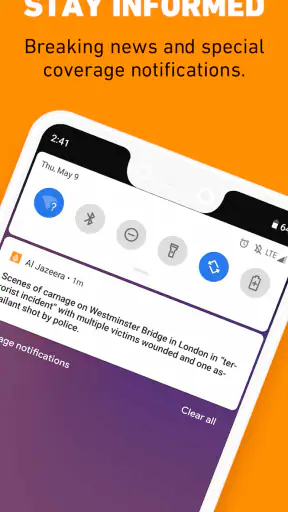



I installed Al Jazeera English expecting a straightforward way to follow international news, and that is mostly what I found: a focused news and magazines app built around Al Jazeera English reporting and live broadcast access. It is free, suitable for Everyone, and developed by Al Jazeera Network. My first impression was that it makes sense for people who want a dedicated news destination rather than a crowded feed that mixes headlines, social posts, entertainment, and recommendations.
The more interesting question, though, is whether it deserves a permanent place on a phone after the first few days. News apps are easy to try and easy to abandon. A live stream can feel useful during a major event, while a daily headline list can become background noise after the novelty disappears. In my experience, this app has lasting value when I use it deliberately: checking international coverage at set moments, opening a story when I want context, and treating the live broadcast as an option rather than leaving it running all day.
What the first week feels like
During the first week, the appeal is immediate because the app has a clear identity. I am not asked to build a complicated profile or learn an elaborate system before reading. I open it for news, scan what is available, and decide whether I want an individual report or live coverage. That simplicity is important for a news application. When something is happening, I want fewer decisions between opening the app and understanding the situation.
The strongest early use case is a quick morning check. I can look through international headlines before work, save the stories that deserve more attention in my memory, and return later when I have time to read properly. I also found the live broadcast useful when I wanted continuing coverage rather than a single article. It changes the app from a static list of headlines into something I can use during an unfolding story.
That does not mean the first week is perfect. A dedicated broadcaster app naturally reflects the editorial priorities of its publisher. Readers who want one neutral, complete dashboard containing every major outlet may find the experience narrower than an all-in-one news reader. I see that as a choice rather than a defect, but it matters. The app works best when I want Al Jazeera English as a primary source, not when I am trying to compare many publications in one screen.
The app has been available since May 9, 2011, and its current version is 2.4.4. It supports Android 7.0 and later, which makes it accessible on many older devices. That broad compatibility is practical for anyone who keeps a reliable older phone for news, travel, or emergencies. It also means I do not need a new handset simply to maintain access to this particular news service.
Live coverage is useful, but it changes how I use the app
The live broadcast is the feature that most clearly separates this experience from reading headlines in a browser. When I have a few minutes and want to follow the wider flow of coverage, live video feels more natural than opening several separate articles. It is especially convenient while cooking, commuting as a passenger, or keeping an eye on a developing story at home.
At the same time, live news is not always the most efficient format. If I only want to confirm one fact or understand one event quickly, a written report is usually better. Broadcast coverage can include repeated updates, transitions, and stretches that are less relevant to my particular question. My practical tip is to use the live option for orientation, then switch to individual stories when I need detail. That two-step habit prevents the stream from consuming time without giving me a clear takeaway.
Another useful distinction is between staying informed and staying immersed. The live broadcast can create the feeling that I am being productive simply because news is playing, but passive listening is not the same as understanding. I get more from it when I begin with a specific purpose: checking an international development, following a press event, or hearing how a story is being framed in real time.
Reading habits that make the app more useful
I would not recommend opening any news app repeatedly without a plan, and this one is no exception. My better routine is to use it in short sessions. I scan first, choose one or two reports, and stop when I have answered the question that brought me there. This keeps the app from turning into an endless loop of headlines.
For a reader who wants broader understanding, I suggest comparing the app’s coverage with a second source instead of treating any single news service as the whole picture. That is not a criticism aimed specifically at Al Jazeera English; it is a sensible habit for serious news consumption. The app gives me a consistent editorial perspective, while another publication can expose different emphasis, terminology, or local reporting.
It is also worth separating urgent news from background reading. If I am checking a fast-moving event, I look for the newest available coverage and avoid assuming that an earlier report answers every later question. If I am learning about a longer-running issue, I slow down and read beyond the headline. This makes the app more valuable than simply refreshing it whenever I feel bored.
What remains valuable after the first month
After the initial curiosity fades, the app earns its place through repeatable access to international news and live broadcast coverage. I do not need to wonder what the app is for; its role stays clear. That clarity helps it compete with general news aggregators, which often offer more variety but also more clutter. When I want one dependable place for Al Jazeera English coverage, opening this app is faster than searching through a browser.
The audience size suggests that this is not an obscure experiment. It has passed five million installs, carries an average rating of 3.9 from around thirty-five thousand ratings, and has about two thousand nine hundred written reviews. Those figures do not guarantee that every reader will enjoy it, but they indicate a substantial, established audience and enough feedback to show that the app has been used in real-world conditions.
For me, the lasting value depends on whether international reporting is part of my normal routine. Someone who follows global politics, conflicts, diplomacy, business, climate developments, or regional affairs may return often because the app matches a real information need. Someone who mainly wants local traffic, neighborhood updates, sports scores, or personalized lifestyle stories may find a general news app more useful.
This is where it compares interestingly with common alternatives. A mobile browser gives me more flexibility and lets me move between publications, but it also adds distractions and extra steps. A general aggregator gives me breadth and personalization, yet its feed can mix serious reporting with sensational headlines or duplicate coverage. A television or streaming service may provide a stronger lean-back broadcast experience, while this app is more convenient when I want news directly on a phone. I would choose this app for focused access, an aggregator for comparison, and a browser when I need a very specific page or source.
A realistic everyday routine
Imagine I am leaving home and want a quick international update before the day becomes busy. I open the app, scan the main stories, and choose one report connected to a topic I already follow. Later, during lunch, I return to check whether the situation has changed. In the evening, I may use the live broadcast for a broader sense of what is being covered, but I do not leave it playing automatically while doing unrelated tasks.
That routine illustrates the app’s recurring strength: it supports several levels of attention without forcing me into one. I can make a quick check, spend a few minutes reading, or watch live coverage for longer. The trade-off is that I have to manage my own attention. The app can help me reach news, but it cannot decide which stories matter to my personal priorities or when I have consumed enough.
I also think it works well for people who are tired of algorithmic feeds. A personalized feed can be convenient, but it may repeatedly show topics that attract clicks rather than topics that build understanding. With this app, I know I am entering a publisher-led news environment. That predictability can be a benefit for readers who prefer a recognizable editorial home.
Who should skip it
I would skip this app if my main requirement is a highly customized news dashboard assembled from many sources. It is also not my first choice for someone who wants local reporting tailored to a particular city or region. Readers who prefer short, purely factual alerts may find a dedicated alert service more efficient, while people who want deep archives, advanced organization, or extensive note-taking may prefer using a full website or specialist research tool.
It may also be a poor fit for anyone who dislikes broadcast-style coverage. The live component is valuable when I want ongoing context, but it is less useful when I only want a compact list of facts. In that situation, I would open the app selectively for written coverage or choose a text-first alternative.
Maintenance, friction, and the risk of news fatigue
The maintenance burden is fairly low because the app has one clear purpose. I do not need to spend much time arranging it before it becomes useful. The real maintenance is behavioral: deciding how often to check, which stories deserve attention, and when to stop. That may sound minor, but it determines whether a news app becomes a helpful routine or an exhausting source of interruptions.
I prefer keeping it as an intentional destination rather than treating it like a social feed. I open it when I want to know something, not whenever I need a few seconds of stimulation. A simple approach is to check at planned points in the day and avoid repeatedly reopening the same coverage without a clear reason. This makes the app feel calmer and protects time for reading rather than refreshing.
News fatigue is the biggest long-term risk. Continuous coverage can repeat the same facts, return to the same images, and keep attention fixed on events that may not change from one visit to the next. The live broadcast is particularly easy to overuse because it feels current even during quiet stretches. My solution is to switch formats: use live coverage for a specific period, then read one considered report and leave the app.
Another source of fatigue is the emotional weight of international news. A dedicated global news service can expose me to serious events more often than a general entertainment-oriented feed. That is valuable for awareness, but it can also become overwhelming. I would not judge the app only by how much news it offers; I would judge whether my own routine leaves room for rest and perspective.
There is also a practical trade-off between convenience and source diversity. Returning to one publisher builds familiarity, but familiarity can make me less likely to question framing or seek local voices. I get better long-term value when I use the app as one important window rather than the entire landscape. That is the most meaningful maintenance task: keeping the habit broad enough to inform me without letting one source define every story.
Free access and device expectations
The app is free, so the decision to try it has little financial risk. Its Everyone content rating also makes it broadly suitable for general audiences. For someone setting up a phone for a parent or another reader who wants direct access to international news, that straightforward positioning is reassuring.
Still, free access does not remove the need to consider attention and data use in everyday life. Live video naturally demands more concentration than a headline scan, and I would choose written reading when I am on a limited connection or in a place where watching video is inconvenient. The app is most comfortable when I can give the chosen format the right conditions instead of expecting live coverage to work for every situation.
Because it supports Android 7.0 and above, it is a reasonable candidate for older Android hardware. On an aging device, I would keep expectations realistic: news reading may be comfortable, while live video can feel more demanding than text. The important point is that the app does not require a recent phone simply to be considered.
Does it earn a permanent place?
My long-term verdict is positive, with a clear condition: I would keep Al Jazeera English installed if international news and live coverage are regular parts of my life. The app’s strongest qualities are its focused identity, accessible price, and ability to move between quick reading and continuing broadcast coverage. It does not need novelty to remain useful because its value comes from a recurring information habit.
I would not keep it as my only news source, and I would not recommend it to someone searching for a fully personalized, local, multi-publisher feed. Those readers will likely get more from an aggregator, a browser-based reading routine, or a local news service. The app is better understood as a direct connection to one established international news outlet.
What makes it last for me is the ability to choose the level of involvement. I can spend less than a minute checking headlines, read a single report with more care, or follow live coverage when an event genuinely calls for it. The app becomes tiring only when I use it without a purpose, refresh it compulsively, or expect one publisher to provide every perspective.
If I were recommending it to a friend, I would say: install it if you want a dedicated Al Jazeera English news experience and can maintain a deliberate reading routine. Start with short visits, use live broadcast selectively, and compare important stories with other reputable sources. Used that way, it earns lasting space on a phone—not because it tries to do everything, but because it does one important job with enough flexibility to remain useful month after month.


